PCAP Analysis-psexec-hunt Task
Task Details :
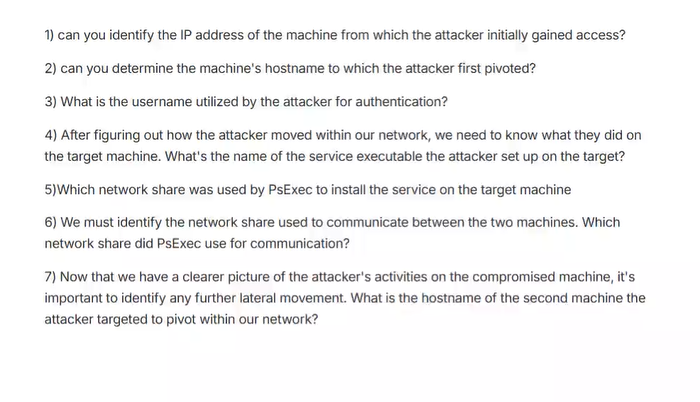
also you can visit the original task from :
PSexec hunt lab on cyber defenders
before starting at soliton we need to explain what is the PSEXEC:
PsExec is a lightweight command-line tool developed by Microsoft Sysinternals that allows for the execution of programs on remote systems, acting as a telnet replacement without requiring manual client installation on the remote machine. It is used by system administrators for remote management tasks like running commands, scripts, and applications, though it’s also notoriously used by malicious actors for lateral movement in cyberattacks, such as ransomware campaigns, to deploy payloads and spread across networks.
How PsExec Works
- File Copying and Service Installation: When you run PsExec, it copies itself to the remote system’s ADMIN$ (Windows) share, which points to the remote system’s C:\Windows folder.
- Service Control Manager (SCM): It then uses the Service Control Manager to install and start a temporary PsExec service on the remote machine.
- Named Pipe Communication: This service creates a named pipe, which is then used by PsExec to redirect input and output for the console application.
- Remote Process Execution: The specified command or application is executed via this named pipe, and any console output is sent back to the local system. Uses
Legitimate Administration:
- Launching interactive command prompts on remote systems.
- Running remote scripts for deployment or data collection.
- Managing and executing tasks on multiple remote systems from a single location.
Malicious Activity:
- Lateral Movement: Attackers use PsExec to move between infected systems on a network.
- Payload Deployment: It facilitates the execution of ransomware or other malicious binaries on multiple compromised systems simultaneously.
lets dive into analysis and solution
Question 1: can you identify the IP address of the machine from which the attacker initially gained access?
Answer is :
10.0.0.130as when I checked thestatistics of conversationswhich are made by IPs in network, we found that this IP (10.0.0.130) is source IP makes a lot of packets with 10.0.0.133 (38284) packets and with 10.0.0.131 (1755) packets that show below: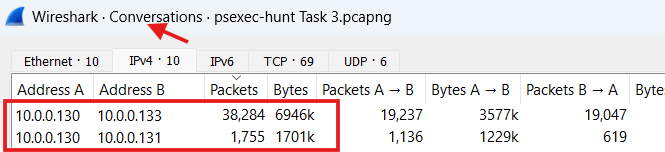
Question 2: can you determine the machine’s hostname to which the attacker first pivoted? And
Question 3: What is the username utilized by the attacker for authentication?
Answer Q2:
Host is : SAlES-PCAnswer Q3:
Username is : ssalesWe can find that by check the
IP address 10.0.0.133which this IP is related to the first pivoted machine and make filter“nbss&ntlmssp”and check the details of therequested SMB2 packetsto be able to find the host of target machine in network and the username that used by attacker then we can find the username and host of attacker session id details that we can show below: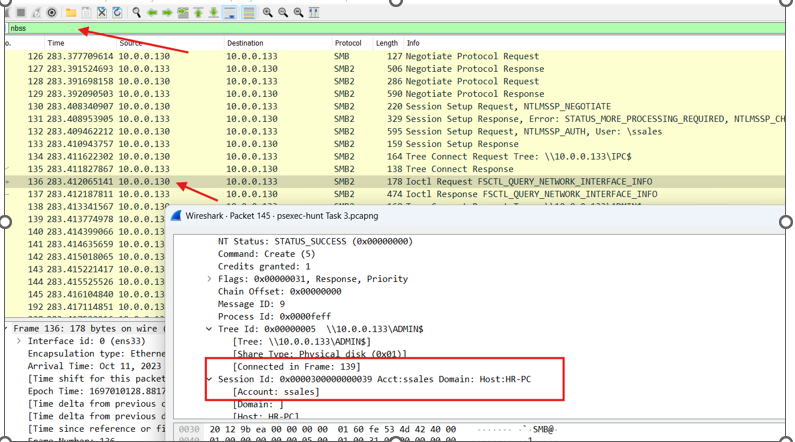 And we can find the Host of the first machine that attacker first pivoted by make filter
 “ntlmssp”then check the details of the ntlmsp challenge and we can find it, show it below: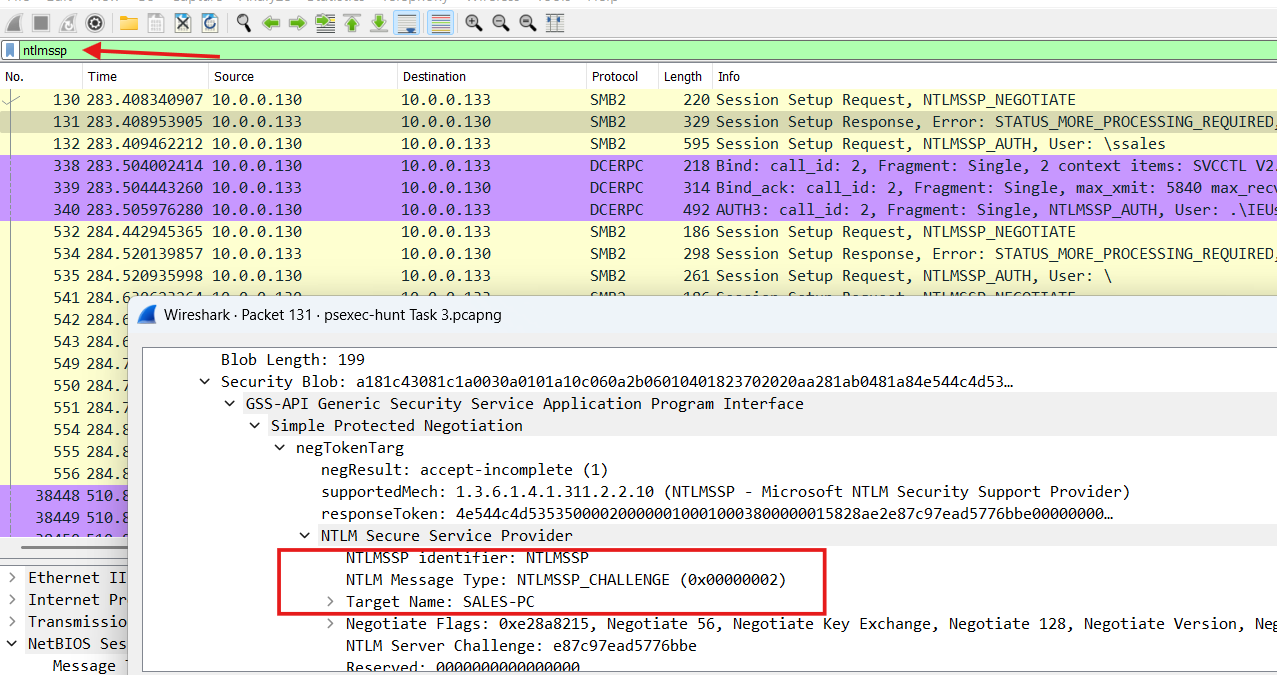
Question 4: After figuring out how the attacker moved within our network, we need to know what they did on the target machine. What’s the name of the service executable the attacker set up on the target?
Answer: PSEXESVC.exeWe can find that by checking the
SMB2 requeststhat made by the IP 10.0.0.130 which related to the attacker machine we can find a packet that the IP requests to create a file named:PSEXESVC.exeyou can check the packet details we find that the service that attacker wants to set up on target overSMBwe can show that below :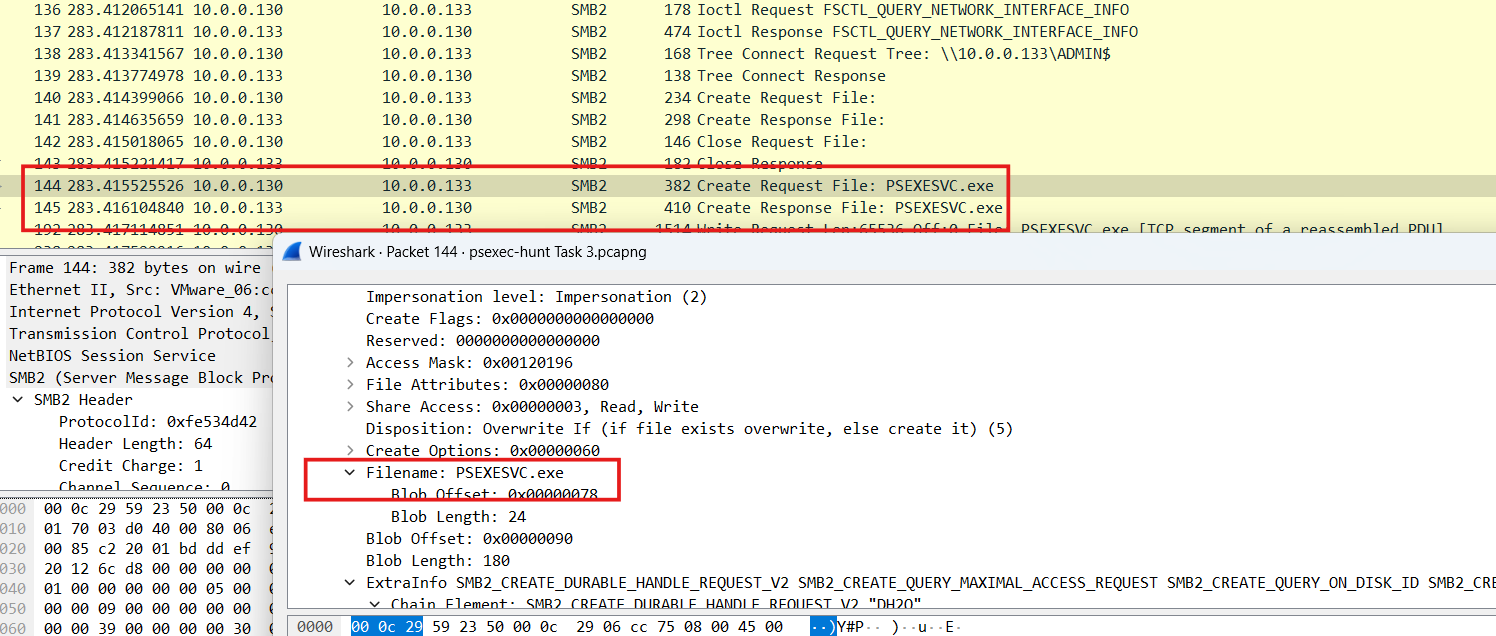
Question 5: Which network share was used by PsExec to install the service on the target machine?
Answer: ADMIN$We can find that in the same packet that the attacker IP 10.0.0.130 requested to create PSEXESVC.exe as the
ADMIN$used by attackers to install the services they want to run on victim’s machine then we can find the method in the packet details in the Tree id details that we can show below: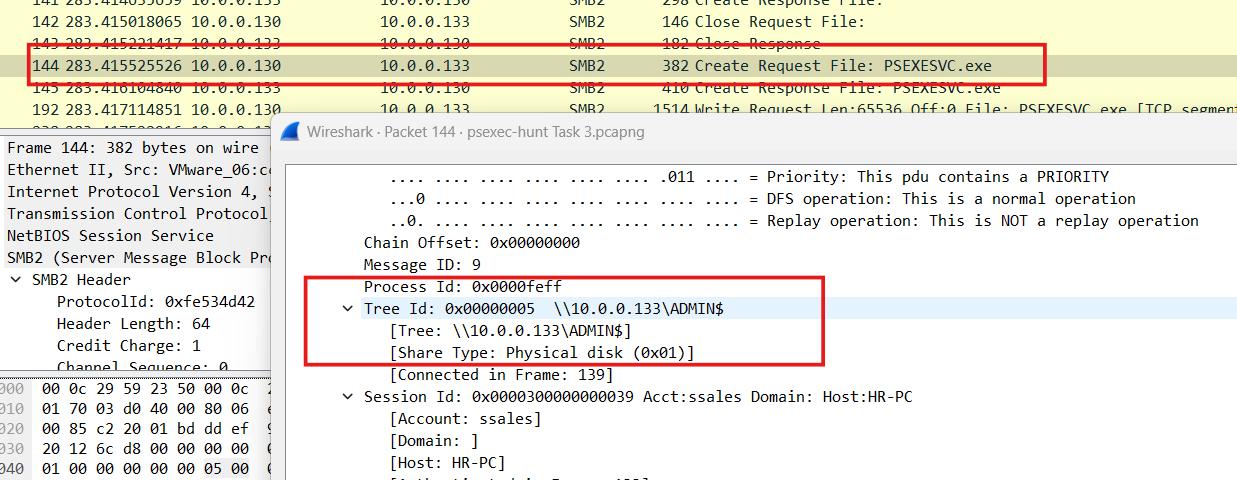
Question 6: We must identify the network share used to communicate between the two machines. Which network share did PsExec use for communication?
Answer:IPC$We can find it by checking the IP address 10.0.0.130 requests to create file with the same name of service That he installed before , to make
“named pipe” to communication with the service that he installedthen we can find a request from the attacker’s IP 10.0.0.130 to create a file which named “PSEXESVC” note that thisfile without “.exe”because it is a“named pipe”not service so then we can check the packet details then we find in the Tree ID :IPC$which responsible about this and make a communication between the attacker and his service ,, we can show it below: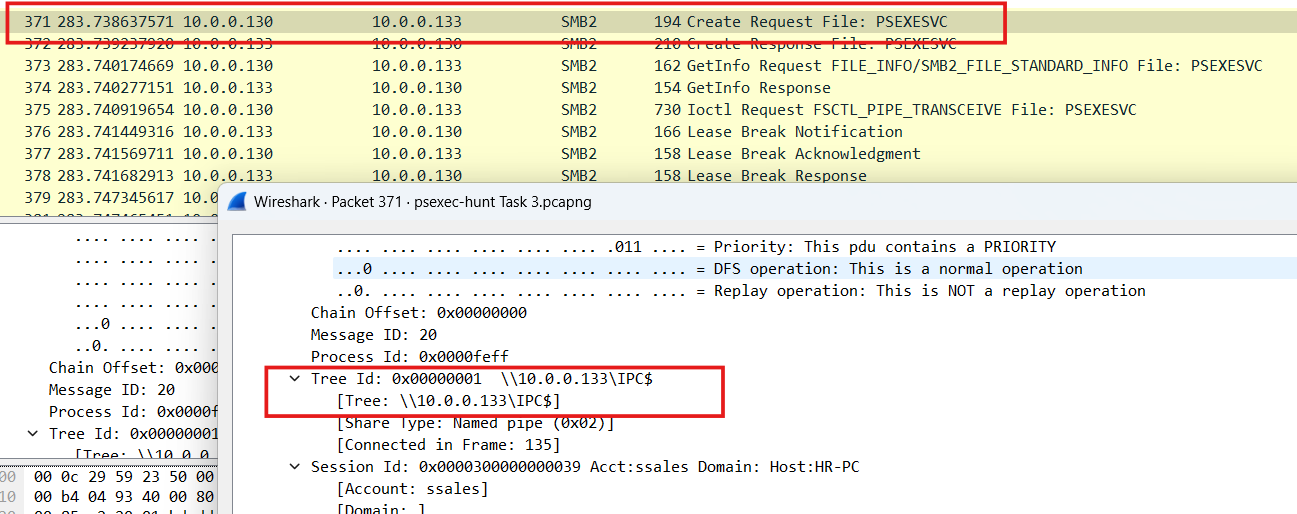
Question 7: Now that we have a clearer picture of the attacker’s activities on the compromised machine, it’s important to identify any further lateral movement. What is the hostname of the second machine the attacker targeted to pivot within our network?
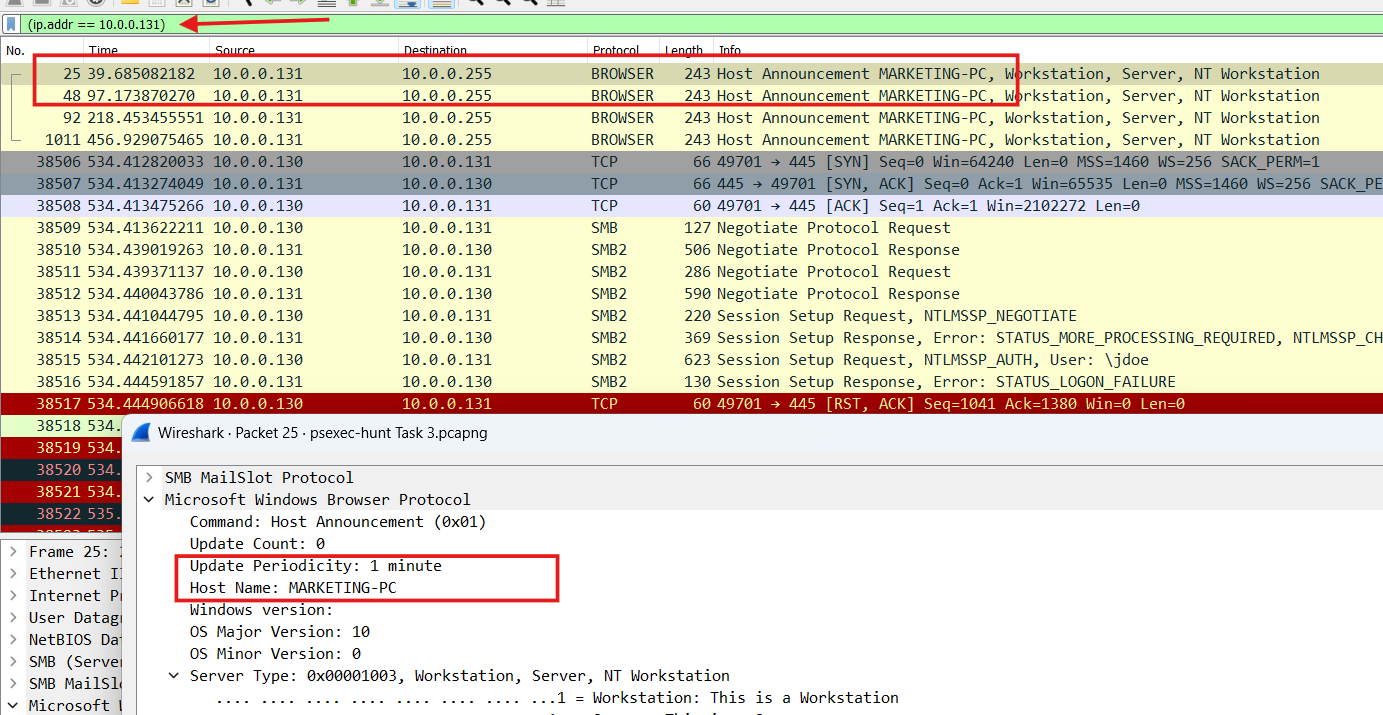
Host name is : MARKETING -PCWe can find by checking The IPs that the attacker’s IP make a conversation with it we can find another
IP (10.0.0.131)that shown: And we can go to make a filter about this IP to find it’s related packets And we can find thisIP make a request by Browser protocol (NetBIOS Browser Service)to thebroadcast address 10.0.0.225to give it a host name then the Browser give it a“MARKETING -PC”as a host name in network that can show when we check the packet details as below: