SOAR & n8n Task
What is SOAR ?
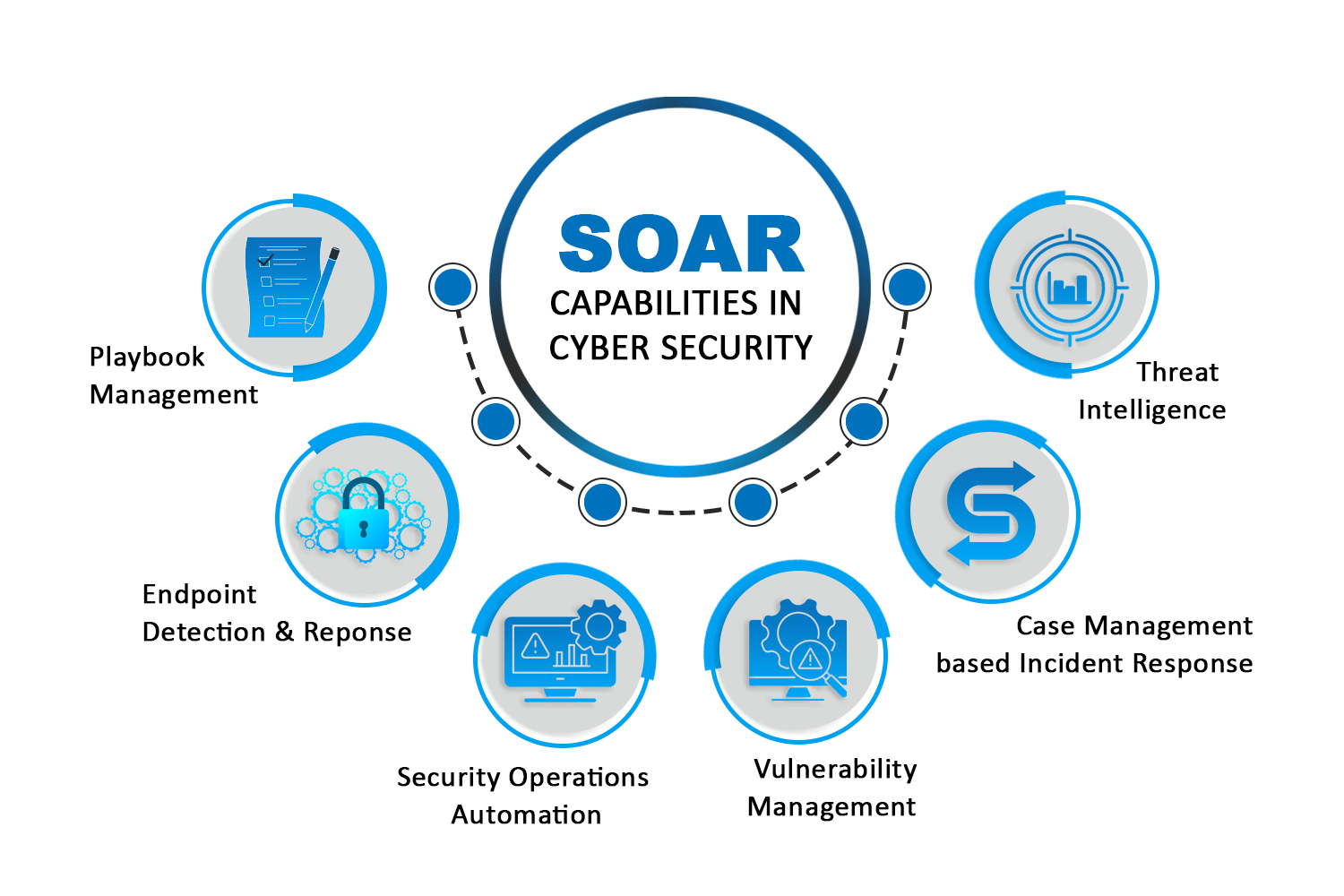
SOAR, which stands for Security Orchestration, Automation, and Response, is a cybersecurity technology that uses a combination of tools to integrate and coordinate various security technologies. It streamlines threat response by automating repetitive tasks and orchestrating the actions of different security tools, allowing security teams to respond more quickly and efficiently to cyber threats. This helps security operations centers (SOCs) handle a high volume of alerts with greater speed and accuracy, reducing manual errors and freeing up staff to focus on more complex issues.
Key components of SOAR
- Security Orchestration: This involves connecting and integrating multiple security tools, such as firewalls, threat intelligence platforms, and endpoint protection systems. It creates workflows where these tools work together in a coordinated way to execute a single, logical sequence of actions.
- Automation: This uses technology to perform tasks without human intervention based on pre-defined rules and workflows. Examples include automatically enriching alerts with threat intelligence, blocking malicious IPs, or quarantining infected endpoints.
- Response: This involves using the orchestration and automation capabilities to execute a standardized response to an incident. SOAR platforms can help teams develop and implement incident response plans, manage the incident lifecycle, and document actions for later review.
Benefits of using SOAR
- Increased efficiency: Automating repetitive tasks like data enrichment, false positive filtering, and initial alert triage allows analysts to focus on more critical tasks.
- Faster response times: By automating the initial steps of incident response, SOAR significantly reduces the mean time to detect (MTTD) and mean time to respond (MTTR) to security incidents.
- Improved accuracy: Automation reduces the risk of human error that can occur with manual processes, especially when dealing with a large number of alerts.
- Better use of resources: SOAR helps security teams manage a growing number of threats with existing staff, improving overall productivity and morale by reducing monotonous tasks.
Task Details :
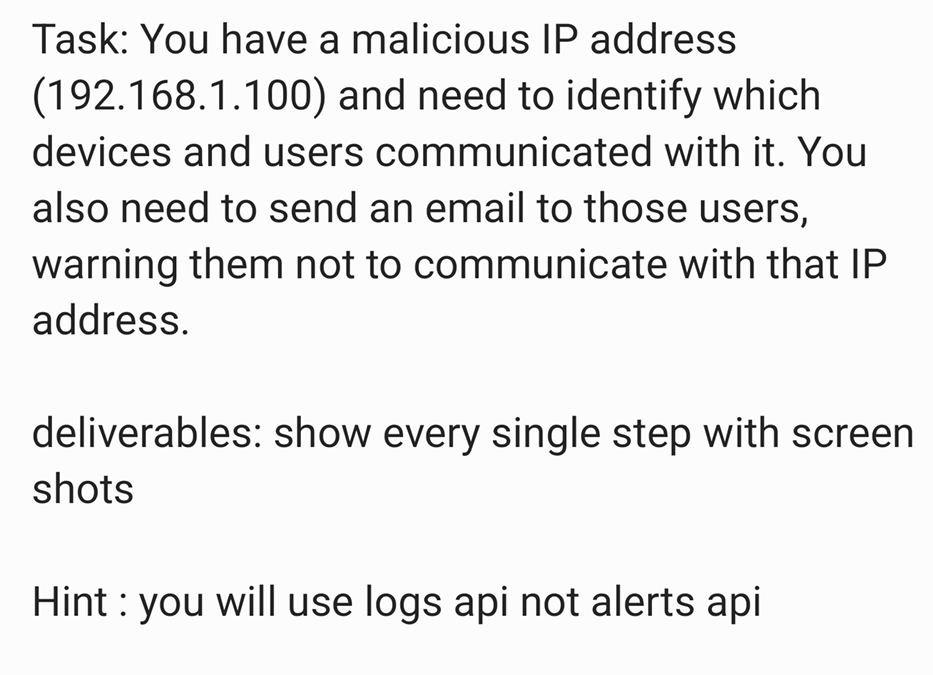
- so lets dive into solution: first, we need to go to
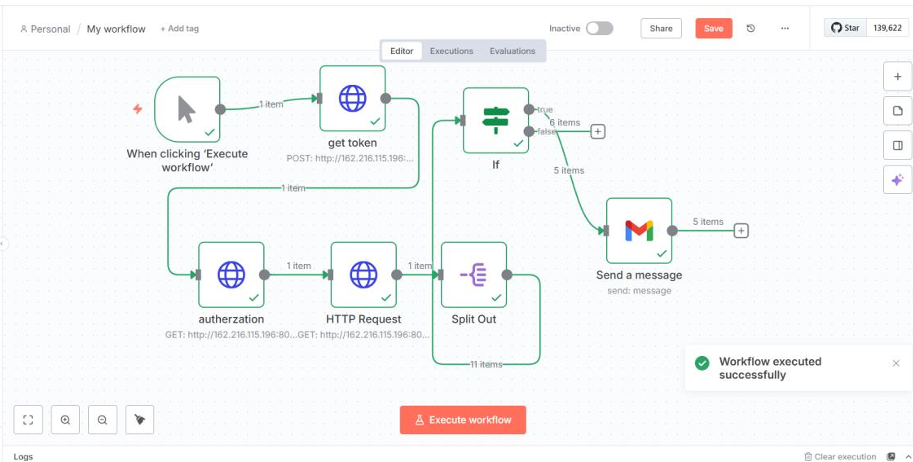
n8nAI workflow automation tool to create a workfolw to execute our Automation process to solve this task, then , we need to create awhen clicking "Execute workflow"to execute your workflow only when you clicking to Execute workflow , after that we need to create a HTTP Request and renamed it toget tokenfrom our machine that contains logs such asELK SIEMin our case we used a specify ELK related to we innovation so it has a different way that used on other ELK machiens, so you can visit the API Documentation documentation , so to get token in our case we need to apply :http:// "IP of Machine"/auth/tokenWith aPOSTMethod Then inbody RequestEnter the credentialsusername & passwordbased on our Documentation :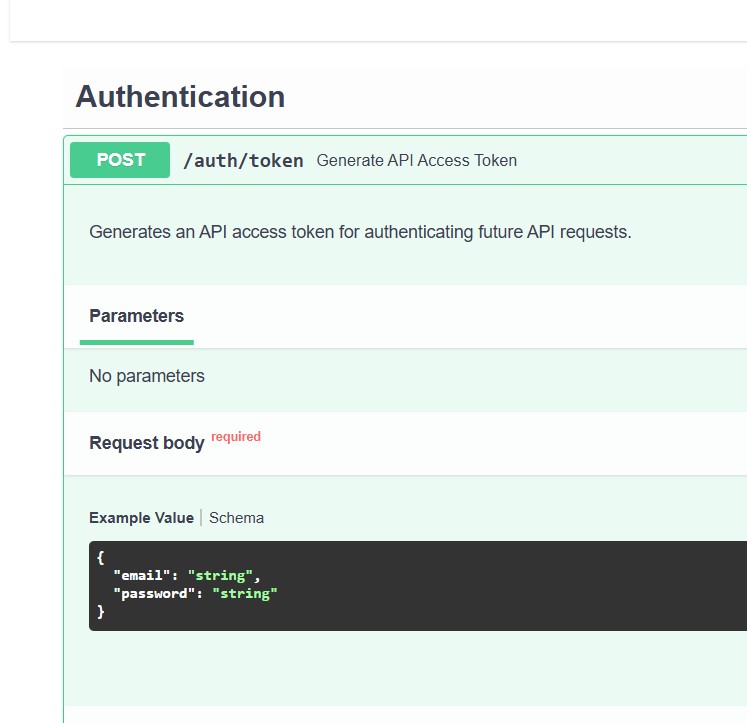
Then create this Process in get token node as we can see below : 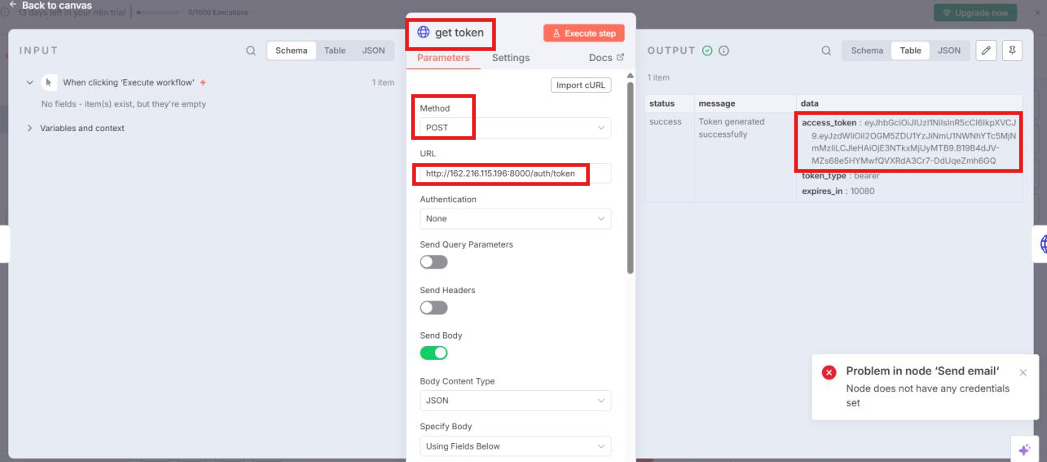 Then The Token Will Appear .
So, We will apply the same steps on all Nodes based on Documentation
After we get the token we need to create a HTTP Request and renamed it to authorization to enter ELK logs , so in our case based on Documentation we need to apply : http:// "IP of machine " /auth/me With a GET Method Then Send Headers with type Aauthorization and sent it with A Value Token & username&password as we can see below : 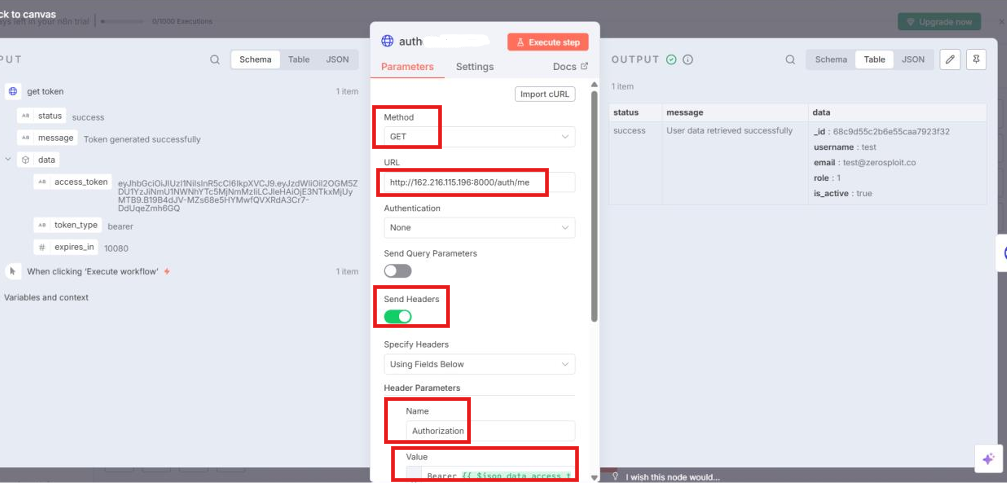
Then we need to pull Logs from Our ELK Machine , so we need to create a HTTP Request node and apply : http:// "IP of machine "/logs With a GET Method Then Send Headers with type Aauthorization and sent it with A Value Token & username&password as we can see below : 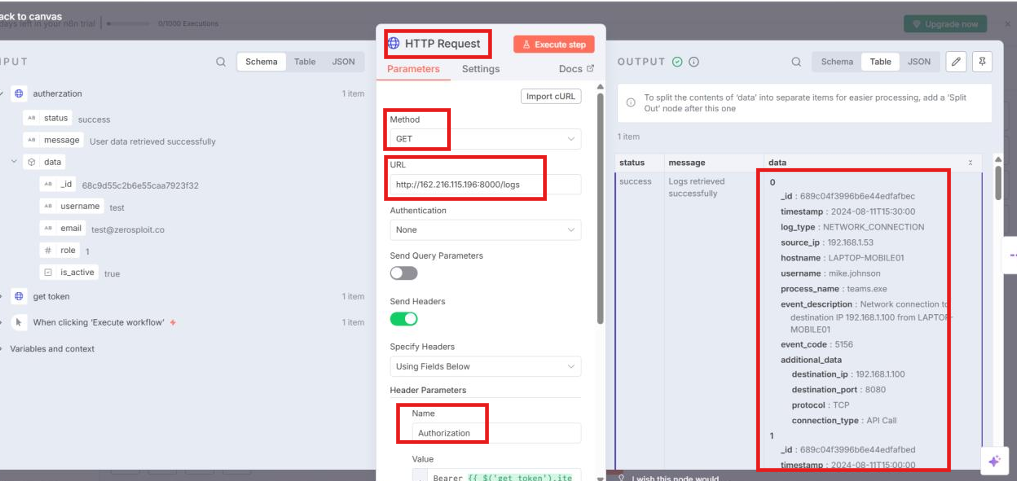
Then The Logs Will Appear in output field.
Then we need to create a split out to determine a specific outputs from logs as we can see below we determine the data field : 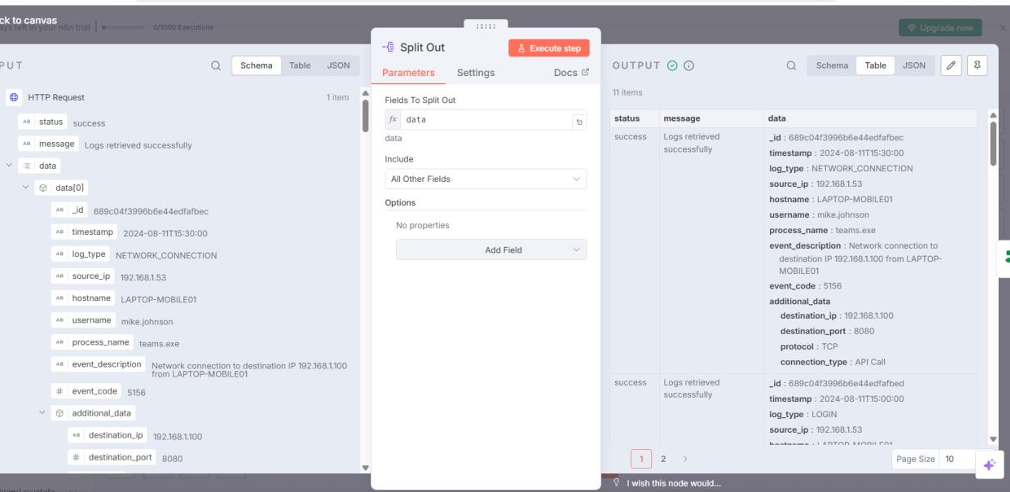
Then we need to create a condition on the splited data to pull a specific destination IP address so ,we will pull all destinations IPS and create a condition to output only 192.168.1.100 the malicious IP , so we need to create an IF node to apply that as we can see below : 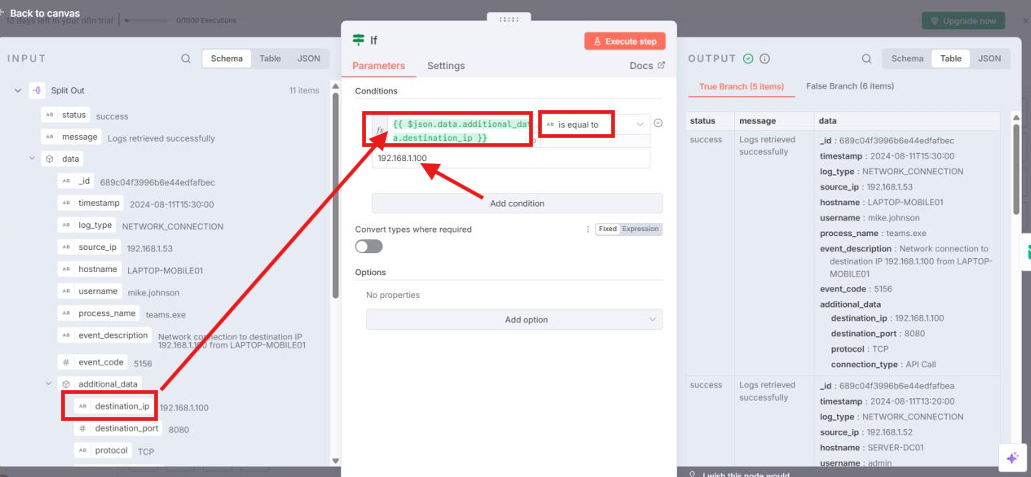
Finally , we need to send Emails to users for Warning them to not communicate with that IP Address , so first we need to create a credential for SMTP Account to enter your Gmail Account that you send the emails to users from it as we can see below i will enter my account : 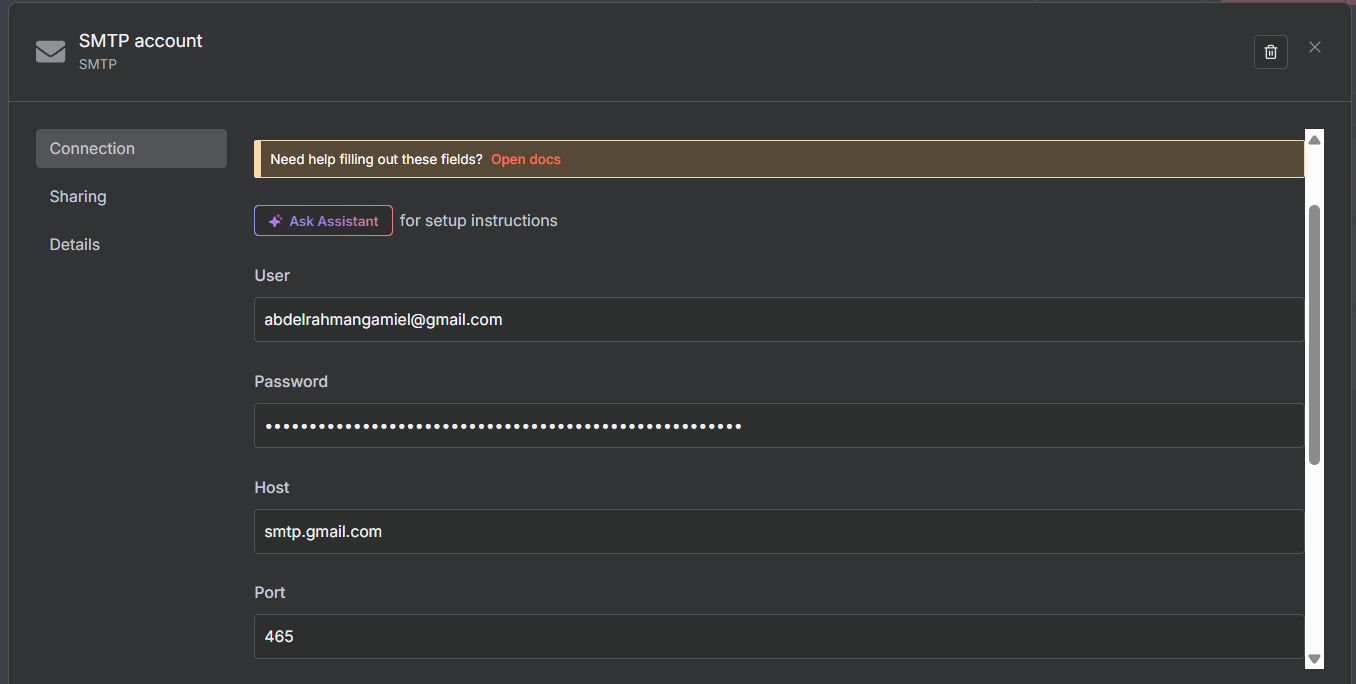
After we entered Account , we need to create a Send Email Node to send emails , as we can see below : 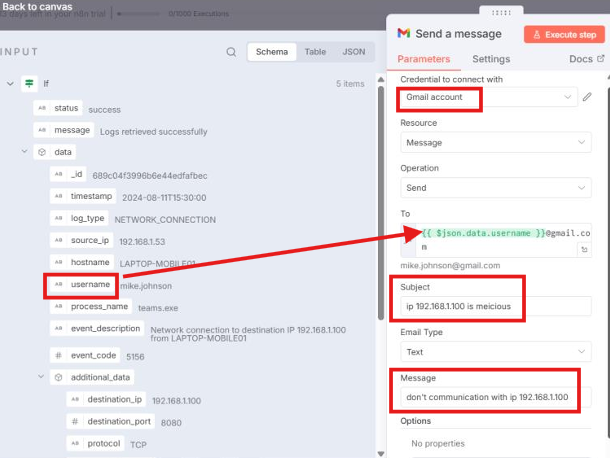
in this node , we need to use the credentials of the Gmail Account that we have created it , then send to all Users(drag and drop them from left) @ gmail.com with subject and message.
ter completing all these steps, the task has been successfully achieved, and the final workflow will be as follows: