PCAP Analysis-Suspicious file Download
Task Details :
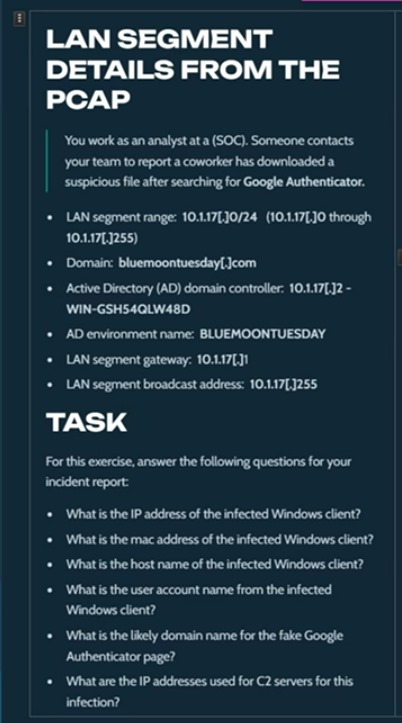
also you can visit the original task from :
lets dive into analysis and solution
Question 1: what is the IP address of the infected windows client?
Answer is: 10.1.17.215 We can verify that by checking our network that ranged in 10.1.17.0-255, so we can make check and scan which IP that make the most packets we can find that in (statistics -> endpoints -> ipv4 ) in toolbar that shown below : 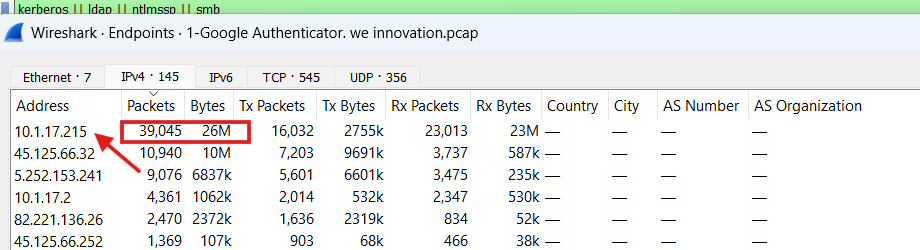
Question 2: What is the MAC Address of the infected Machine?
Answer is: 00: d0: b7:26:4a:74 We can verify that by make filter about the infected IP :10.1.17.215and clicking on any packet that is made by the IP 10.1.17.215 as a source IP then check the packet details and open Ethernet details then open-source details, and you can find MAC Address of an infected machine with IP 10.1.17.215: 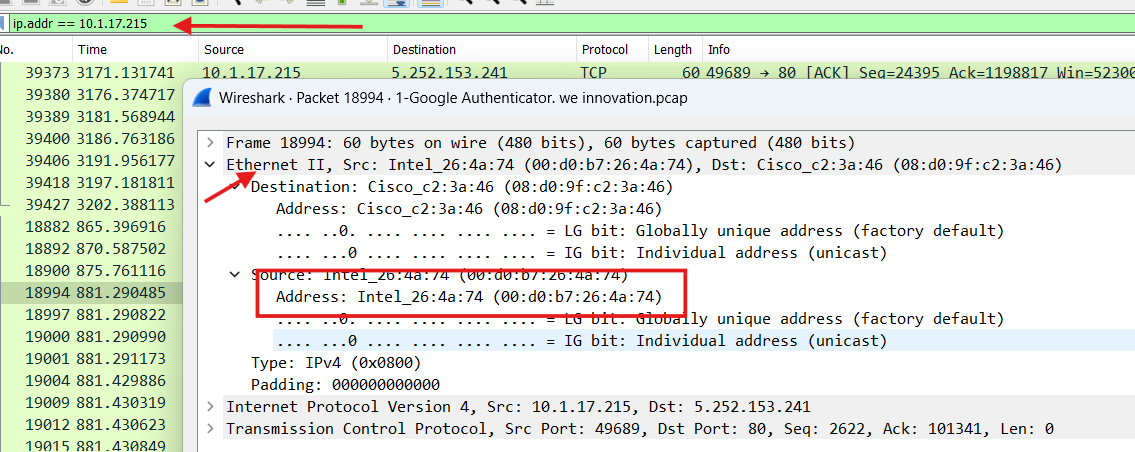
Question 3: What is the Host Name of the infected Windows Client?
host name is : DESKTOP-L8C5GSJWe can verify that by making filter about“nbns” NetBIOS Name Service and choose the packets related to our infected IP Address 10.1.17.215 then show packet details and NetBIOS Name Service details and Queries details then we can find the host name that shown below : 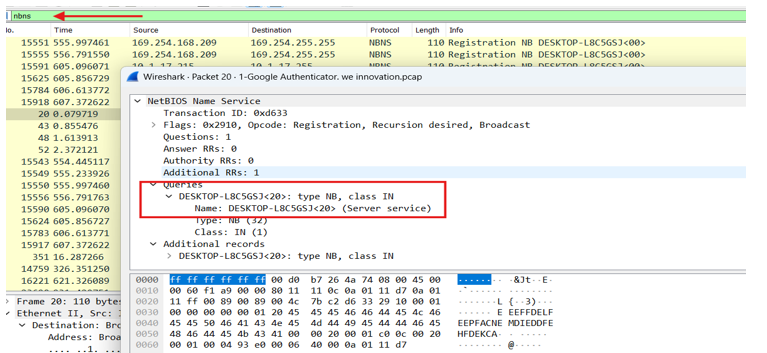
Question 4: What is the User Account Name from the infected Windows Client?
Username is : shutchenson We can verify that by making filter aboutKerberos || ntlmssp|| smb || ldap focus on the Kerberos Packets and choose packets related to our infected IP 10.1.17.215 and check the packet details and show Kerberos details the we can find the user name inCName details then Cname_string that shown below: 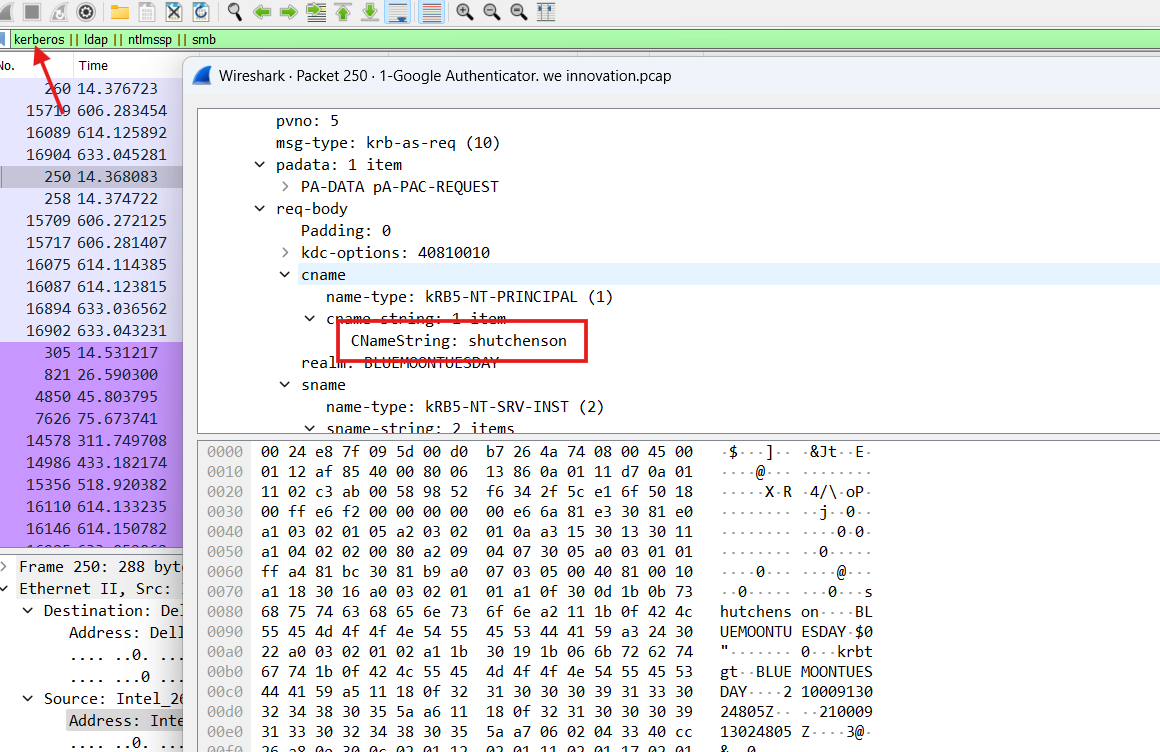
Question 5: What is the likely domain name for the fake google Authenticator page?
fake domain is : authenticatoor.org We can verify that by making filter about DNS traffic to show DNS queries and responses then While analyzing DNS traffic, it appeared that the 10.1.17.215 device attempted to resolve the suspicious domain nameauthenticatoor.org. This domain was (typo squatting) to “authenticator.org.” The server did not respond, strengthening the suspicion that the domain is malicious or being used in an attack. We can show that below: 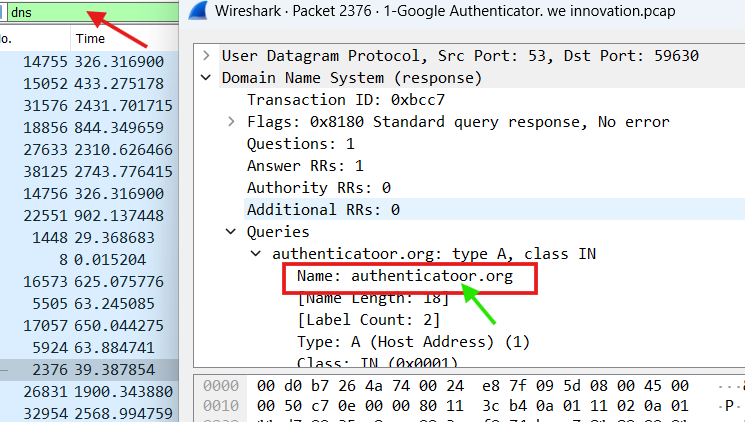
Question 6: what is the IP address Used for C2 servers for this infection?
the ips that used for c2 servers : 45.125.66.32 and 5.252.153.241 We can verify that by checking the external IPs that have made a connection on our Network and sent packets we can check that which IP makes most packets same as in Question 1 we can find that in (statistics -> endpoints -> ipv4) in toolbar that shown below: 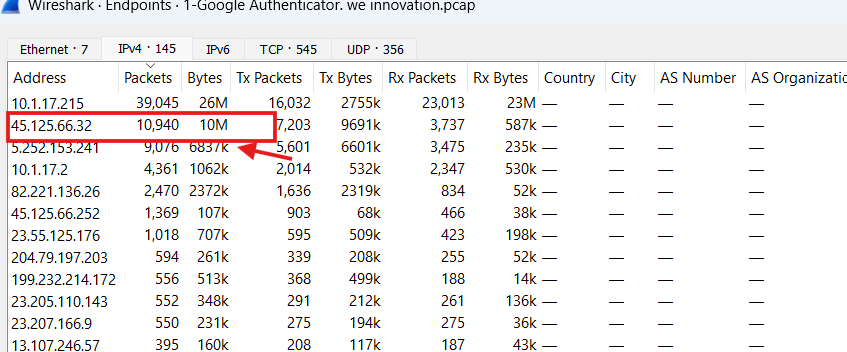 that we can see that ip 45.125.66.32 external our netowrk make abnormal number of packets with abnormal size so that we can verify that the ip 45.125.66.23 is the C2 Server and make an abnormal connections with the infected Machine and we can verify that the ip
 5.252.153.241 by checking the Export - HTTP Object List that show the http requests that made by the ip and espcially show the content-type of each response we can find that in (file->Export Objcts->HTTP) that we can show below: 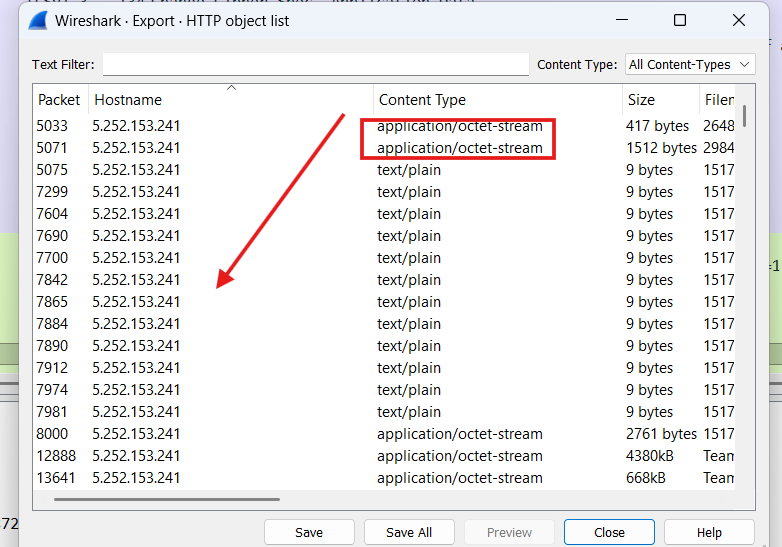 that we can see that the ip
 5.252.153.241 has a Content-Type: application/octet-stream this type means that the server returns and response with a binary file of unknown type - this is usually is an execution file (EXE or DLL) or (encryption or Zip files) or encryption data between C2 server and victim and the size changed from a hundred bytes to a few number of bytes this may be means that Sometimes small size for (commands or ping), sometimes big size for (file transfers or modules). and we can see the many connections to the same ip 5.252.153.241 this can This explains persistence or beaconing behavior (malwae behavior) so by this behaviors we can virfy that Why is this ip 5.252.153.241 an indicator of C2 Server.